
Document AI
Somebody sends over a twelve-page agreement, or a questionnaire wanting facts this business wrote down months ago. This reads the document and drafts the answers, and every line names the page or the record it came from.
Getting started
These are the steps in the order somebody would do them. The same list is in the tool: press F1, or the control reading "How this works" at the top of the window.
1. Press Read a document, or drop PDFs on this window
Either one takes PDFs from this machine, and a whole folder of them at once is fine: each is read in turn and waits in the register for the customer it belongs to. They are read here, in this process, by this tool's own reader, so nothing is uploaded and nothing is written to anybody's record until you file each review yourself.
2. Read what it found, and correct anything it got wrong
Every field carries the page it came from and the words it was taken from, on the row rather than behind a hover, and the ones it states poorly come first. You are checking a reading against the document, not trusting a summary of it. Once it is filed, pick a line and type what the page says: what this tool read is kept beside your correction, and a corrected notice period moves the deadline.
3. Look at the clauses that carry a date or a cost
Renewal dates, notice periods and the terms that cost money, pulled out and cited. It reports what the document says: nothing here is an opinion about whether the terms are reasonable or a recommendation about whether to sign.
4. Check what could not be read
A scanned page carries no text, and this says which pages those were rather than quietly leaving them out. A reading with a silent gap in it is worse than no reading, because somebody acts on it. Which pages were read names every page of the file and which reader saw it. A field stated twice and differently takes neither value; one nothing stated is listed as not found.
5. Name the customer, then press File this review
Filing writes the reading onto that company's own record, uploading the document itself if your organisation does not already hold it. That is what makes it findable by everybody rather than by whoever read it. Discard throws the reading away instead.
6. Answer the questionnaire out of what you already have
The Forms screen takes a vendor questionnaire, an insurer's renewal form or a site induction and drafts the answers out of records this business already keeps. Every answer names the record it came from and every blank says what would answer it. Nothing is sent, and nothing here can send it.
7. Hand the agreement to Contracts
An agreement that has been read is an agreement whose notice deadline you now know, and the tool that watches deadlines is Contracts and Renewals. Handing it over is what turns one afternoon's reading into something that warns you next year.
The screens, and what to do first on each
Each of these opens with nothing on it on a new install. What the tool says on that screen is what this section says, because it is the same sentence.
Nothing has been read yet
Every document this tool reads is kept here, newest first, with what it says beside the page each line came off. A reading is held in this organisation's register and written onto nobody's record until you file it.
First thing to do: Press "Read a document", or drop a PDF on this window. Nothing is uploaded until you file it.
No form has been drafted yet
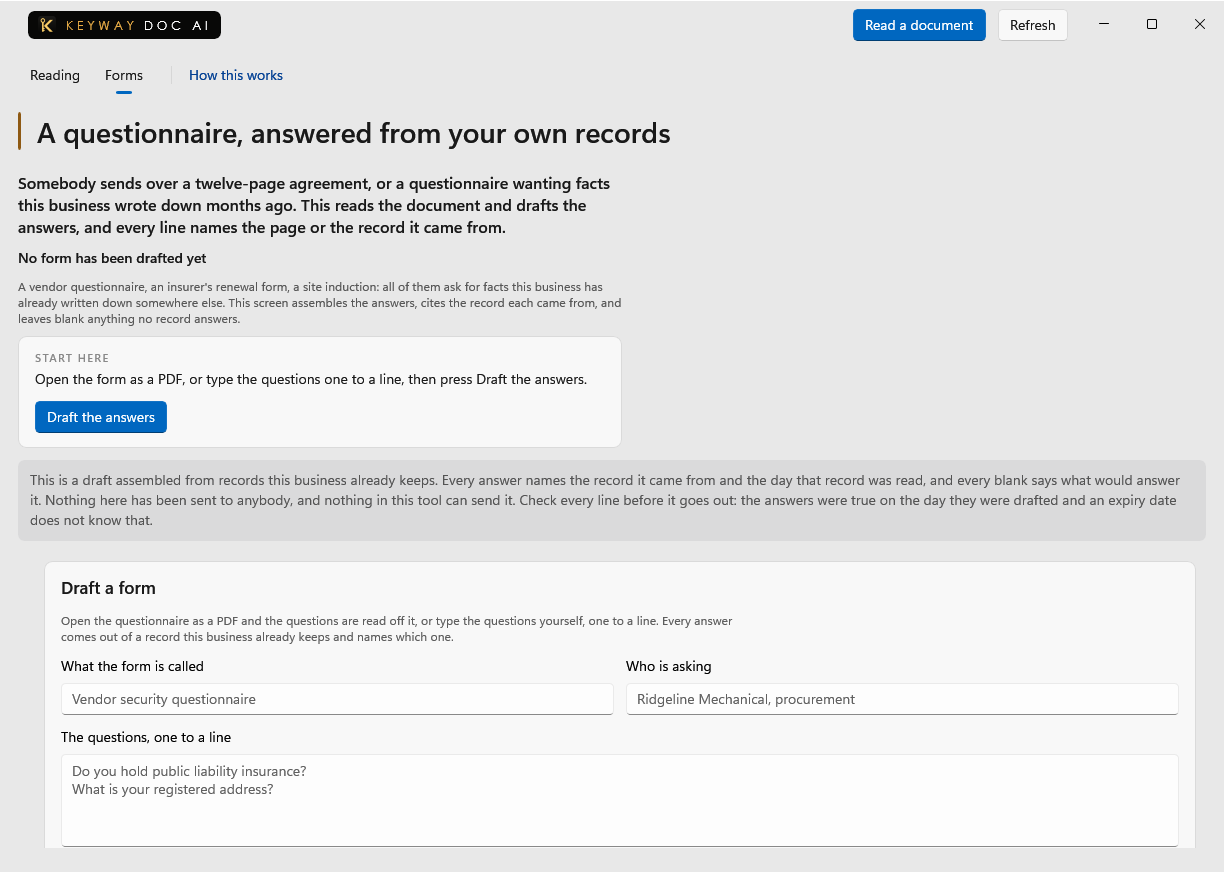
A vendor questionnaire, an insurer's renewal form, a site induction: all of them ask for facts this business has already written down somewhere else.
First thing to do: Type the questions one to a line, or press "Read the questions off a PDF", and then press "Draft the answers".
Two decisions that belong to the business
Everything else this tool knows travels with the document it was taken from. These two do not: they are true of every person who opens this window, so they are decided once and somebody has to be able to see what was decided.
First thing to do: Press "Read a document" and check what it finds against the page.
If you get stuck
Write to support@keywaysuite.com. We answer within one business day. Keyway can send us what it knows about your installation: open the hub, go to About and press Get support. It writes one file wherever you choose and never includes your licence, a password, a customer name or a customer address.