
Expenses
What the business spent, and the part a receipt never has on it: why it was business, who was there, and how they relate to you. Recorded on the day, so it still holds up in two years.
Getting started
These are the steps in the order somebody would do them. The same list is in the tool: press F1, or the control reading "How this works" at the top of the window.
1. Press New expense and type what you paid
Who you paid and how much. The day is today unless you say otherwise, the currency is this business's, and nothing else is required: three seconds a payment. For a month at a time, Import a card statement reads the file your bank exports and shows you every row before it writes one. A journey is Mileage under What kind: the same form, priced at your own rate.
2. Write why it was business while you still remember
The reason box is on the same form as the amount, one line below it, and it is the field this tool exists for. A receipt already carries what you paid, when and to whom; what it can never carry is why the money was business, and that is the part somebody asks about.
3. For a meal, say who was there and what they are to you
A name on its own is a note. 'Alex Toomey, customer' is a record. You are assumed to have been there and do not need listing. A meal with nobody recorded shows as needing a reason on the first screen until somebody fills it in.
4. Start a claim from a picture of the receipt
Choose it at the top of the form and one press writes the spend and keeps the image as a document on this business's own record, filed against the customer or the job where there is one. Whether an amount can be lifted off an image depends on what this installation has, and the form says so; the figures are yours to check either way.
5. The year screen is for catching what is still blank
It totals what you claimed, by category and per currency, and lists everything with no reason written and everything with no receipt kept. It also says how many of your records were written the same day. A reason written months later is the same words and weaker evidence, so the screen shows you the gap rather than telling you off.
6. Record what you are not claiming, rather than deleting it
A personal coffee on the business card belongs on the register and out of the claim, with a line saying why. That is what makes this add up against a card statement, which is how somebody checks it.
7. Pass it, pay the person back, then finish the month
Each step of the sign-off your business asks for records who signed and what the claim was worth when they saw it; change the figure and that step resets, visibly. On a signed-off spend, name whoever used their own money and it becomes a reimbursement on their statement. Then close the month: nothing goes into it afterwards and nothing in it moves.
The screens, and what to do first on each
Each of these opens with nothing on it on a new install. What the tool says on that screen is what this section says, because it is the same sentence.
Nothing is waiting for a reason
Three things put a spend on this list: no business purpose written, nobody recorded at a meal, or no place.
First thing to do: Open Expenses and record what you last paid for.
Nothing has been recorded yet
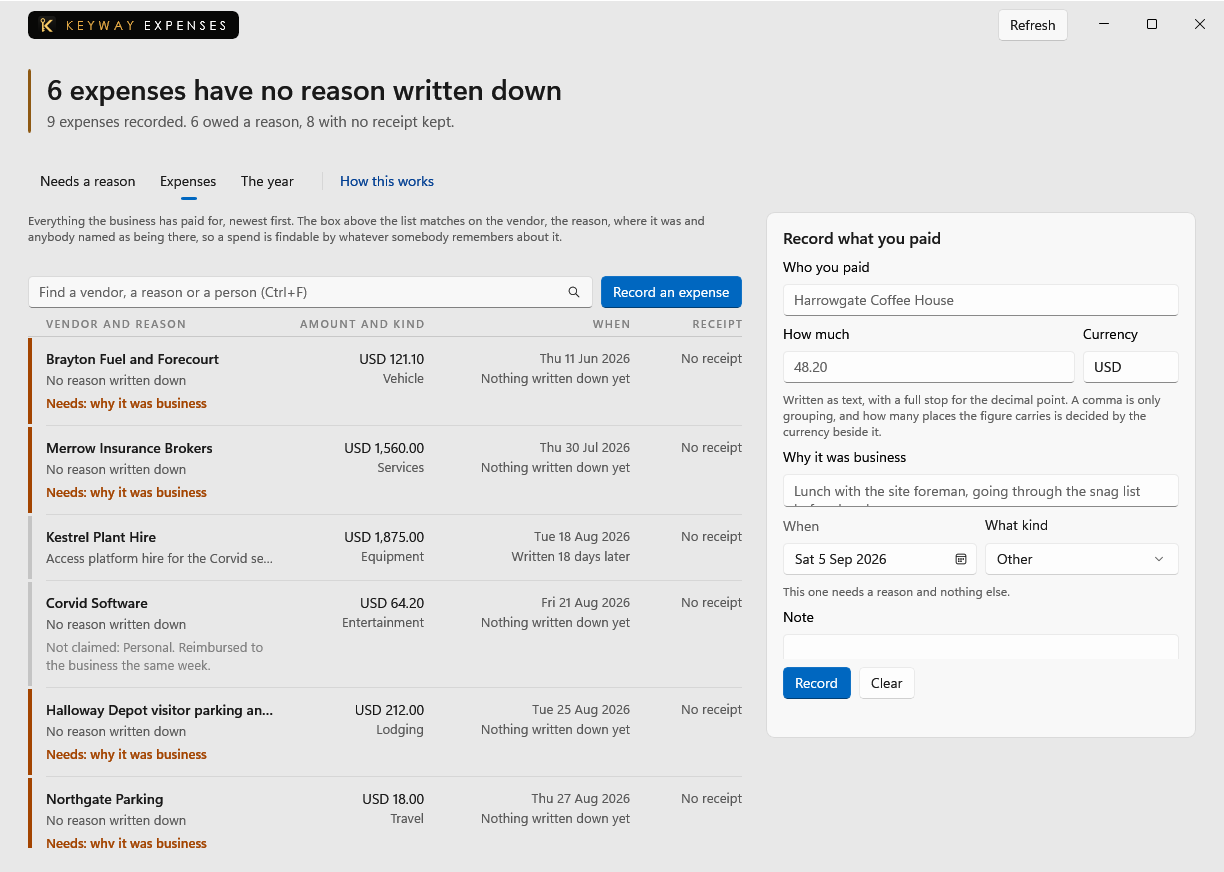
Each spend is added with the form beside this list. Who was paid and how much are the only fields it needs; the reason box below them is what makes the record hold up.
First thing to do: Press New expense, type who you paid and how much, then press Save.
Nobody is owed anything yet
A spend somebody paid for with their own money lands here once it is signed off, one statement per person. Keyway records what this business says it paid and moves no money itself.
First thing to do: Sign a spend off on the Expenses screen, then name who paid for it.
There is nothing in this year yet
This totals what was claimed, by category and per currency, and counts what is still owed a reason or a receipt. Nothing is converted between currencies, because there is no exchange rate in this product.
First thing to do: Record a spend on the Expenses screen, and this fills from it.
If you get stuck
Write to support@keywaysuite.com. We answer within one business day. Keyway can send us what it knows about your installation: open the hub, go to About and press Get support. It writes one file wherever you choose and never includes your licence, a password, a customer name or a customer address.